
What is HCX?
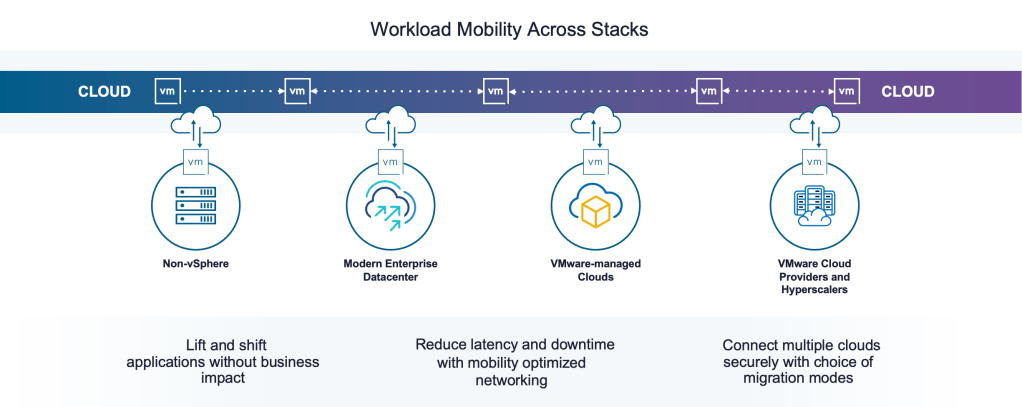
VMware by Broadcom’s workload mobility workhorse, providing easy to use options for connecting many types of technology stacks, connecting traditional VLANS and modern workload overlays with a few clicks, and deploys multiple migration technology options. HCX can connect fully isolated vSphere Replication & vMotion networks, it allows cross-CPU vendor migration, and workload modernization at the largest scale. HCX technology is available with VMware Cloud Foundation.
What’s New?
It is one of my pleasures to share What’s New in the HCX world. HCX 4.9 is our latest and greatest (released March 27, earlier today)… this HCX version emphasizes operational improvements, and enables deployments in markets with public network restrictions.
Lets dive into the changes:
HCX for Air-gap Deployments
NIST defines air gap as “An interface between two systems at which (a) they are not connected physically and (b) any logical connection is not automated (i.e., data is transferred through the interface only manually, under human control)”.
In the HCX context, we are referring to highly regulated government, health care, financial and enterprise data centers in which connections beyond the data center are not technically possible, or very highly restricted (not practical to seek access).
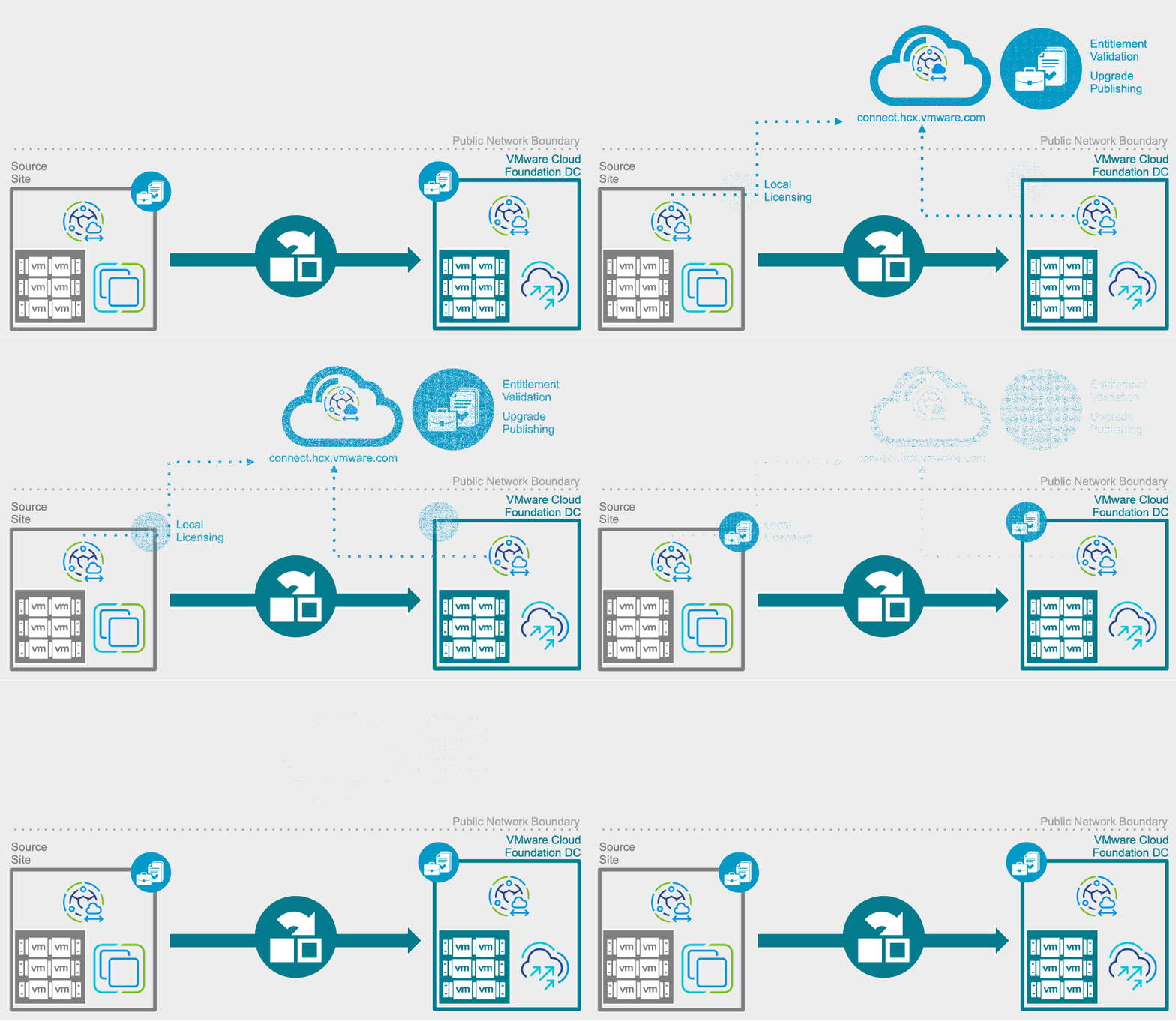
HCX is a bit of a product odd-ball in its hybrid architecture, with some Broadcom hosted components, but operated within the datacenter. In the hybrid/connected mode, the HCX Manager makes periodical connections to connect.hcx.vmware.com, a hosted endpoint (more on that here) for initial product activation, for periodical entitlement checks, to look for published updates (also requiring downloading from hybrity-depot.vmware.com), and to provide enhanced tech support (TSE log downloads with customer pre-approval). This hybrid mode of operation took the place of a typical Customer Experience Improvement Program.
The new air-gap mode brings the licensing function into the Manager appliance, prevents all connections to the external endpoints. This mode helps reduce security-related burdens by localizing that function. Here is what you need to know:
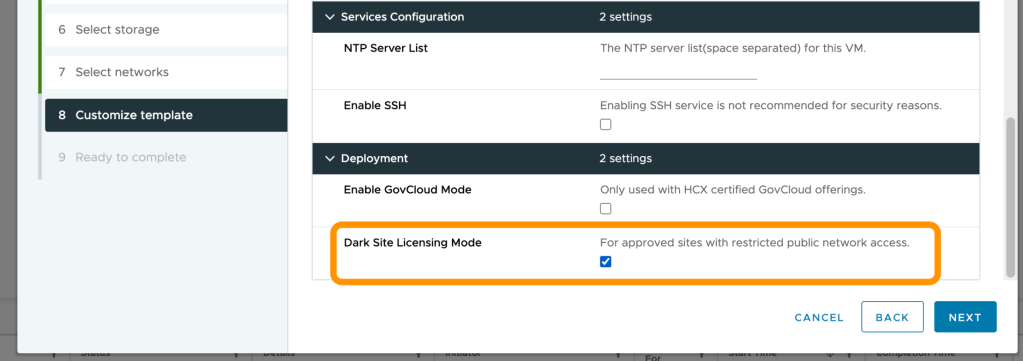
- In new deployment air-gap is a checkbox during the HCX Manager OVA deployment in the vCenter Server. You’ll see it in the Deploy OVF Template.
- The VMware-HCX-Installer in downloads.vmware.com (customerconnect.vmware.com) has been replaced with full HCX OVAs. This means after an appliance is configured, it will not have additional files to download. As a tradeoff, the download will be a bit larger upfront.
- OSAM files are bundled into the install.
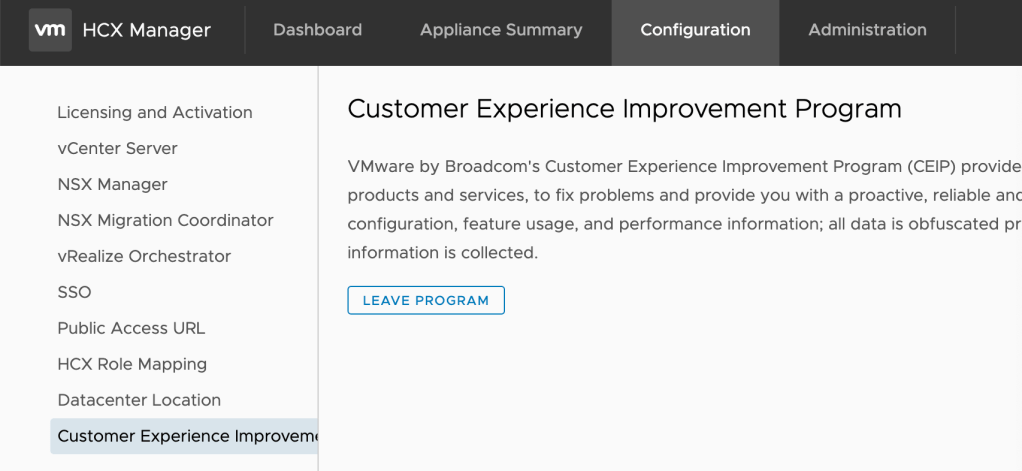
- Existing deployments will transition to local licensing automatically (partially) as an internal post-upgrade to HCX 4.9.0. VCF & NSX keys will detected. Customer Experience Improvement Program participation is on by default, opting out is required for full air-gap (tradeoff: CEIP is required for HCX WAN Optimization)
- Publishing function:
- You will never see upgrade notifications in air-gapped systems. Future upgrade files will be available in the downloads.vmware.com with the OVAs.
- Existing HCX 4.8.2 and below systems are connected and can received a published upgrade.
HCX migration to vSphere Virtual Volumes (vVol)
What is vVol? vVol virtualizes SAN and NAS into logical pools that can be flexibly consumed, with storage operations with per-VM granularity. HCX 4.9 certifies migration to vSphere Virtual Volumes, for customers who are leveraging the vVols Partner Ecosystem for disaggregated storage.
Things to know:
- vSphere 6.7 & 7.0 tested with VASA API version 3.5 and vSphere 8 with VASA API version 5.0.
- Migration with HCX Bulk Migration, HCX Cold Migration & HCX vMotion Migration.
- Replication-Assisted vMotion is not currently supported.
Interoperability with VMware Cloud Foundation 5.1.1
VMware Cloud Foundation 5.1.1 features two items:
1. VMware Private AI Foundation with NVIDIA: The VMware Private AI Foundation with NVIDIA Guide simplifies deployment by providing an overview of the components of VMware Private AI Foundation with NVIDIA and high-level workflows for development and production use cases. SDDC Manager guides the user in creating an AI workload domain.
2. Single Solution VCF License for all entitlements (sans VSAN). HCX 4.9 is required to enable migration services with this license. The license is automatically detected during a post-upgrade task.

Licensing & EntitLEMENT RELATED Changes
HCX is transitioning to a common licensing scheme that uses VMware Cloud Foundation (VCF) Solution Licensing as the basis for VMware product licensing and feature entitlement. During this transition, HCX 4.9.0 supports these license types:
- VMware Cloud Foundation – The VCF license Provides entitlement to all HCX services.
- VMware by Broadcom VCF provides a single licensing framework for activating the suite of VCF and VMware vSphere Foundation (VVF) products. For more information, see VMware Cloud Foundation 5.1.1 Release Notes.
- This license type is recommended for the highest level of product portability and support across VMware products moving forward.
- Evaluation – An eval now provides entitlement to all HCX services (for 60 days – with restrictions).
- Service Inheritance – When connecting sites with different entitlement levels, a destination site’s higher feature level can be inherited.
In Closing
I’m looking forward to time with organizations that had a technical/air-gap related show stopper, and those who are looking to exploit every solution owned with VCF.
—
Gabe ✌🏼🥴
P.S. (non-work update)
– I have re-embraced my kidRunner RUN. Having the time of my life running races with my youngest daughter every weekend, until she outgrows it. Next weekend is the Irving Half Marathon.
– My kids are growing too fast, someone tell me how to hit pause.
– I’m into cycling (albeit indoor, on a smart trainer)… but hitting 50 mile weeks for 3 weeks. Feelin’ good.


 VCF CORE ⦿ TECH